CALENDAR
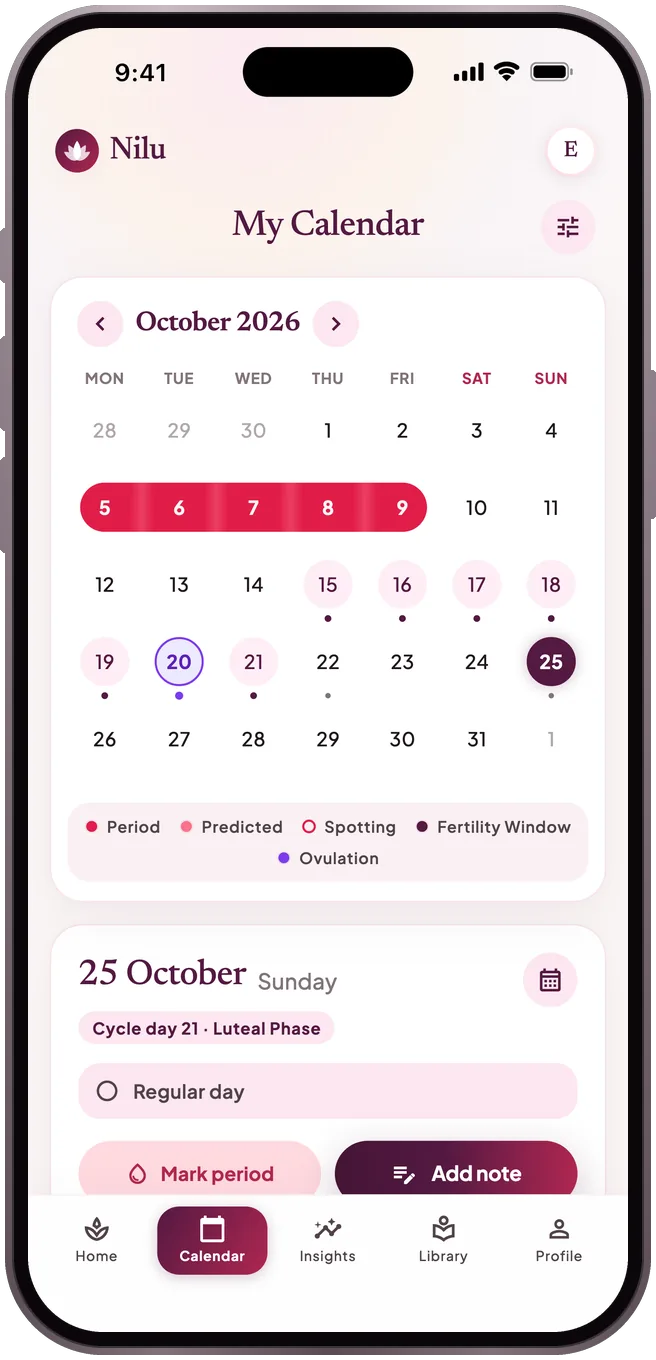
Your next period, shown as a range
Mark your period on the calendar. Nilu shows the next one as a likely range rather than a single date — with how it was calculated, plus your estimated fertile window.
Period · Pregnancy · Postpartum
A calm tracker for periods, pregnancy and the postnatal weeks. Everything you log stays on your phone, encrypted — no tracking.
Coming soon to the App Store and Google Play
See how it works
What it does
CALENDAR
Mark your period on the calendar. Nilu shows the next one as a likely range rather than a single date — with how it was calculated, plus your estimated fertile window.
DAILY LOG
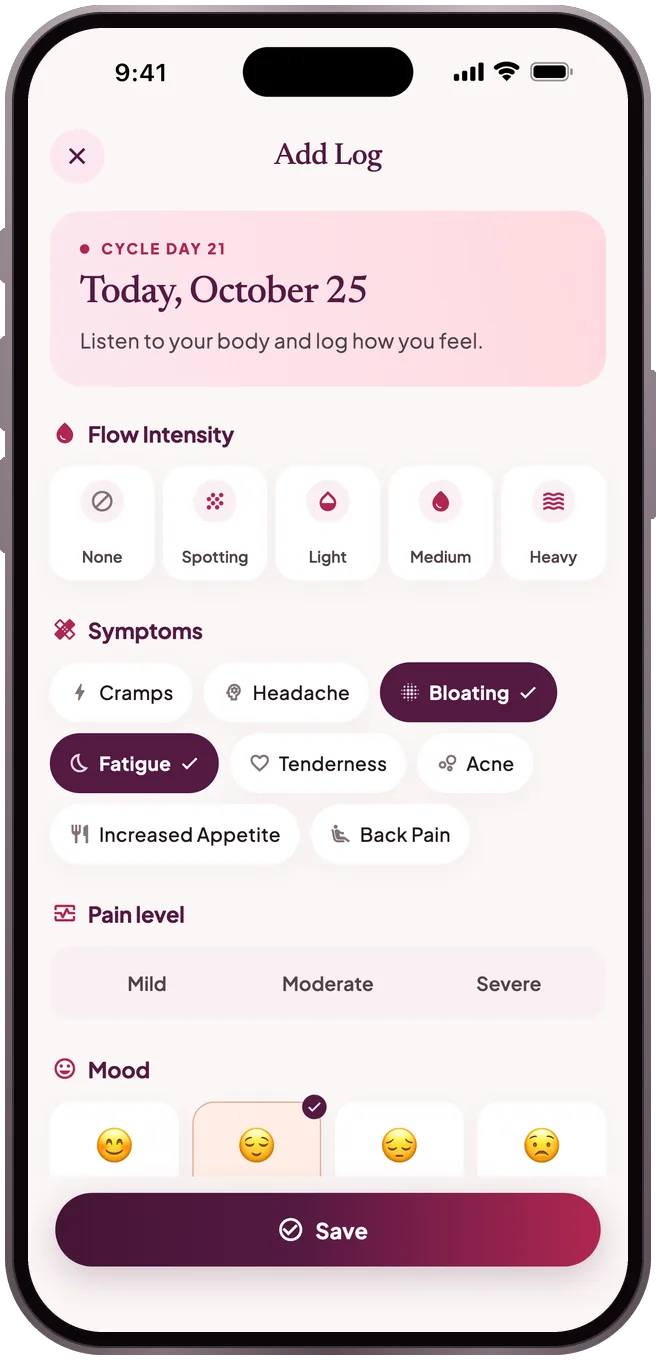
Flow, pain, mood, symptoms and notes, saved in a few taps — and there whenever you want to look back.
INSIGHTS
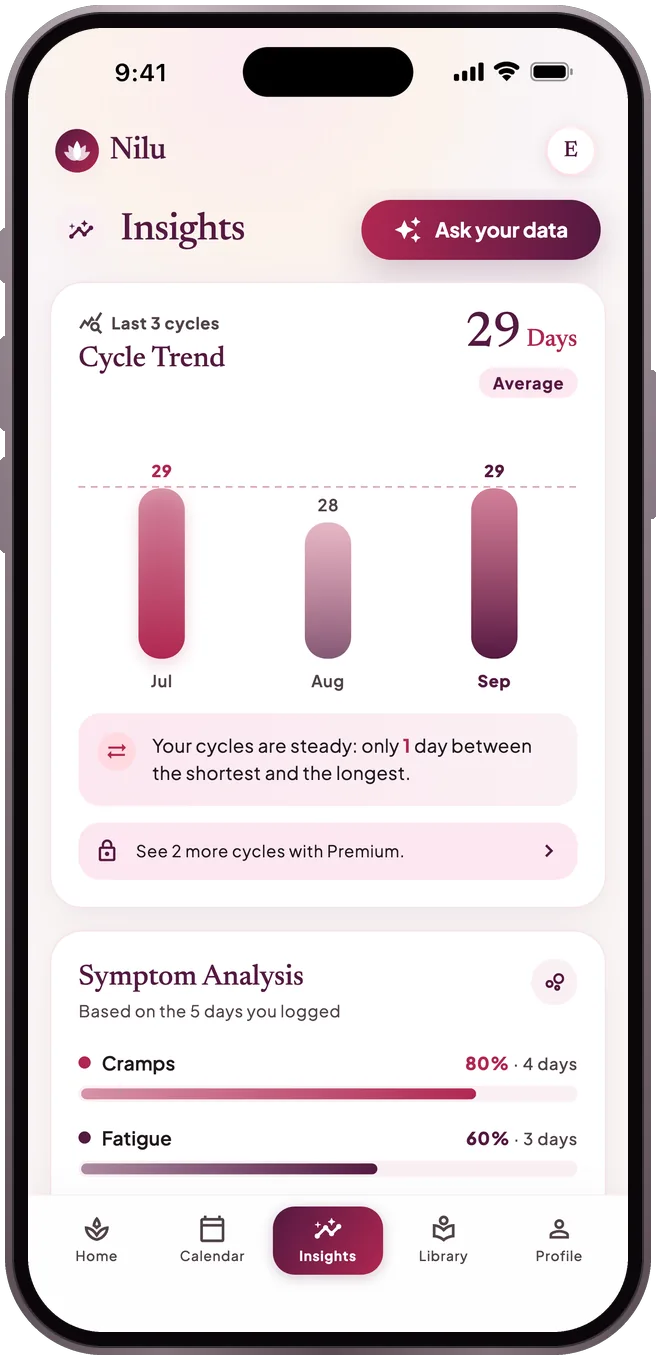
How long do your cycles last, how regular are they, which symptoms keep coming back? Your full cycle history and a summary to show your doctor are free.
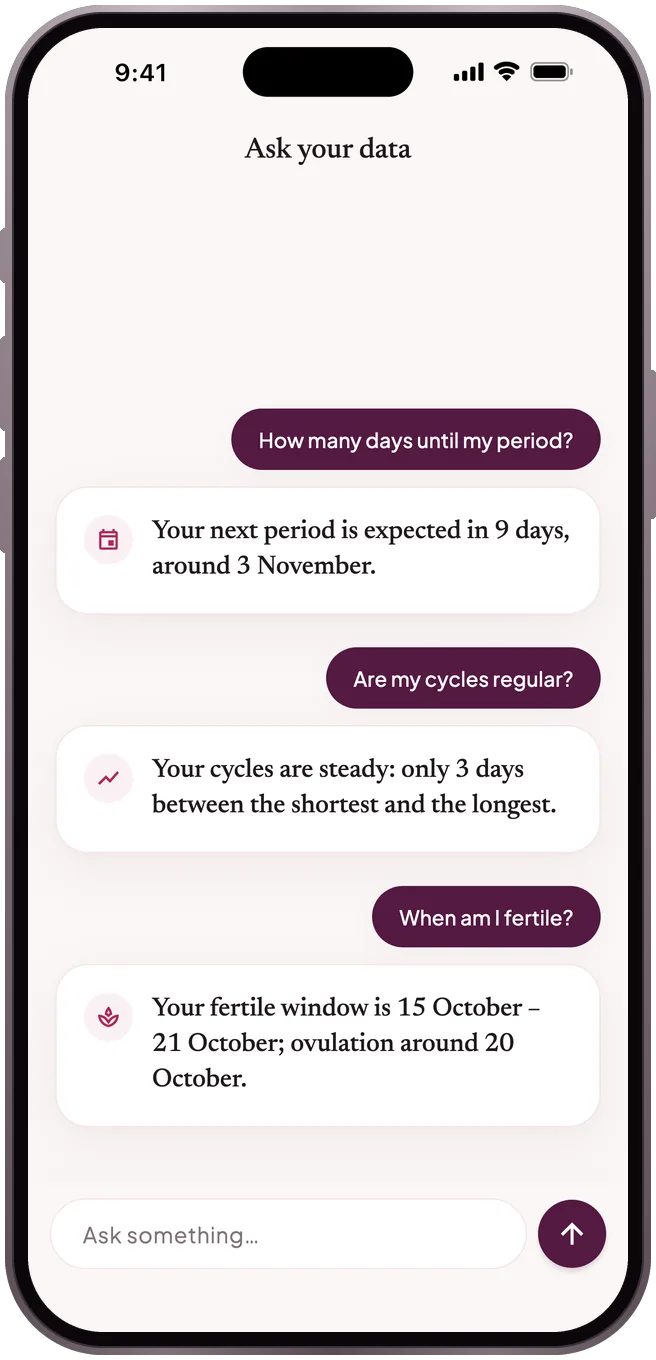
ASK YOUR DATA
Ask “How many days until my period?” or “Are my cycles regular?”. Answers are worked out on your phone from the same numbers you see in the app — nothing is sent to an AI model, and nothing is made up.
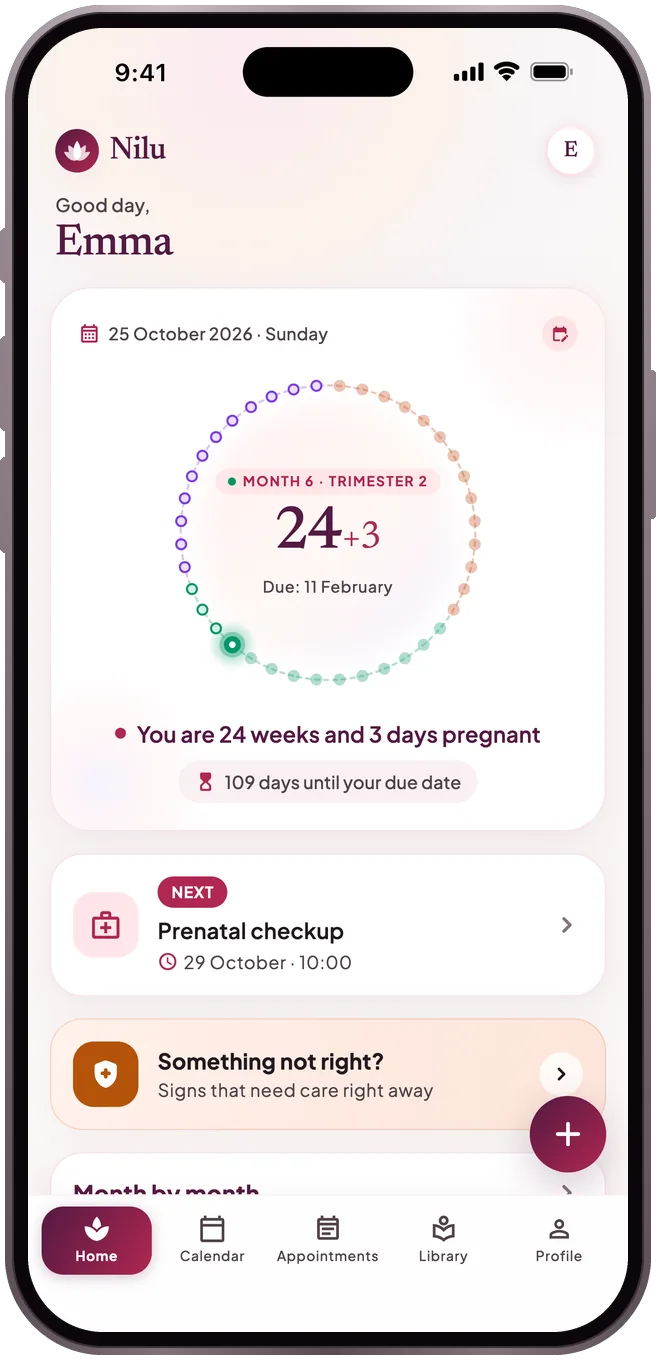
PREGNANCY
Through pregnancy and the postnatal weeks: your week and day, appointments and reminders, and the warning signs that mean you shouldn’t wait.
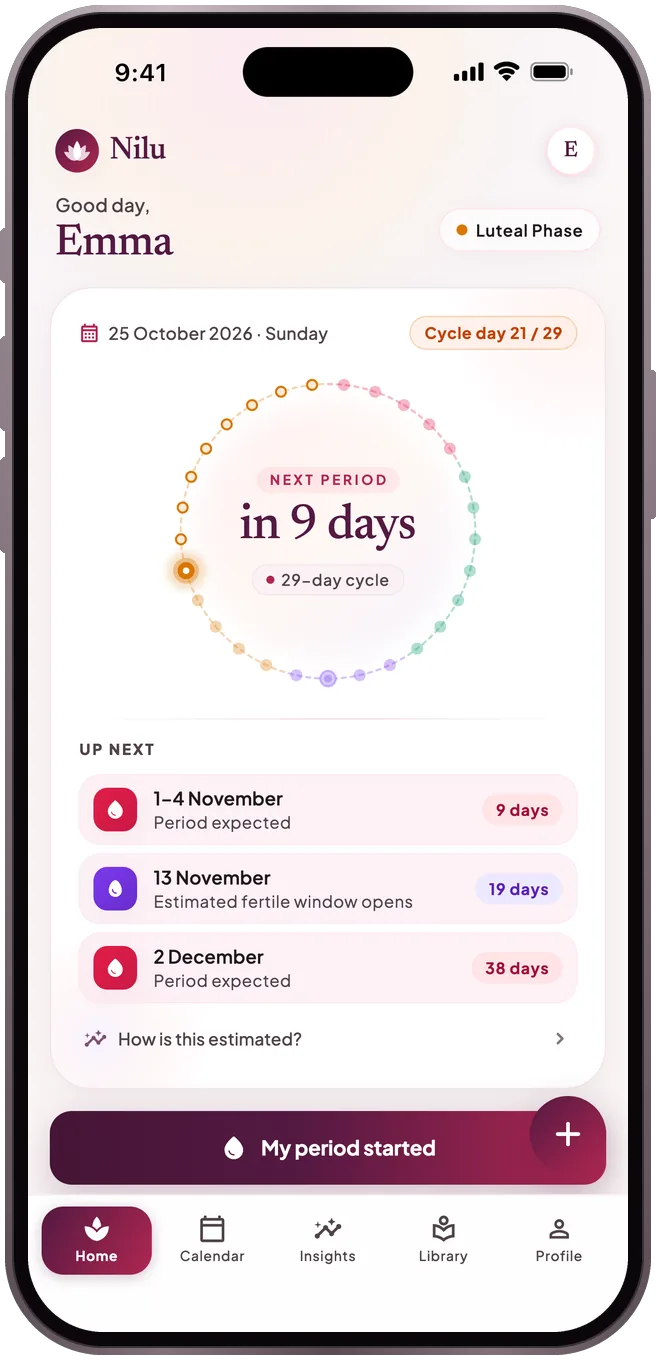
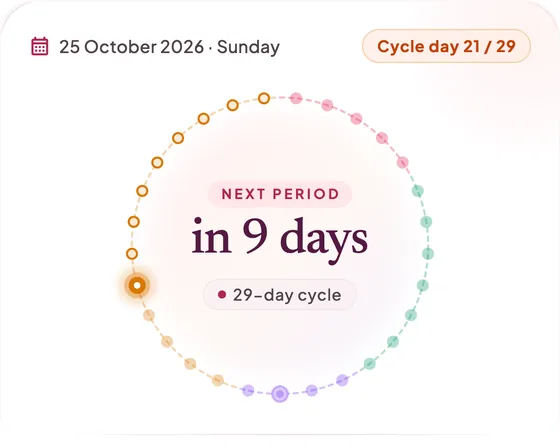
Your cycle day and next period at a glance; the widget and reminders are prepared on your device.
Sourced articles on periods, nutrition, mental health and relationships.
Only the closeness status you choose is shared, with your explicit consent.
Move to a new phone with a password-protected backup, or turn on cloud sync with your account.
Privacy
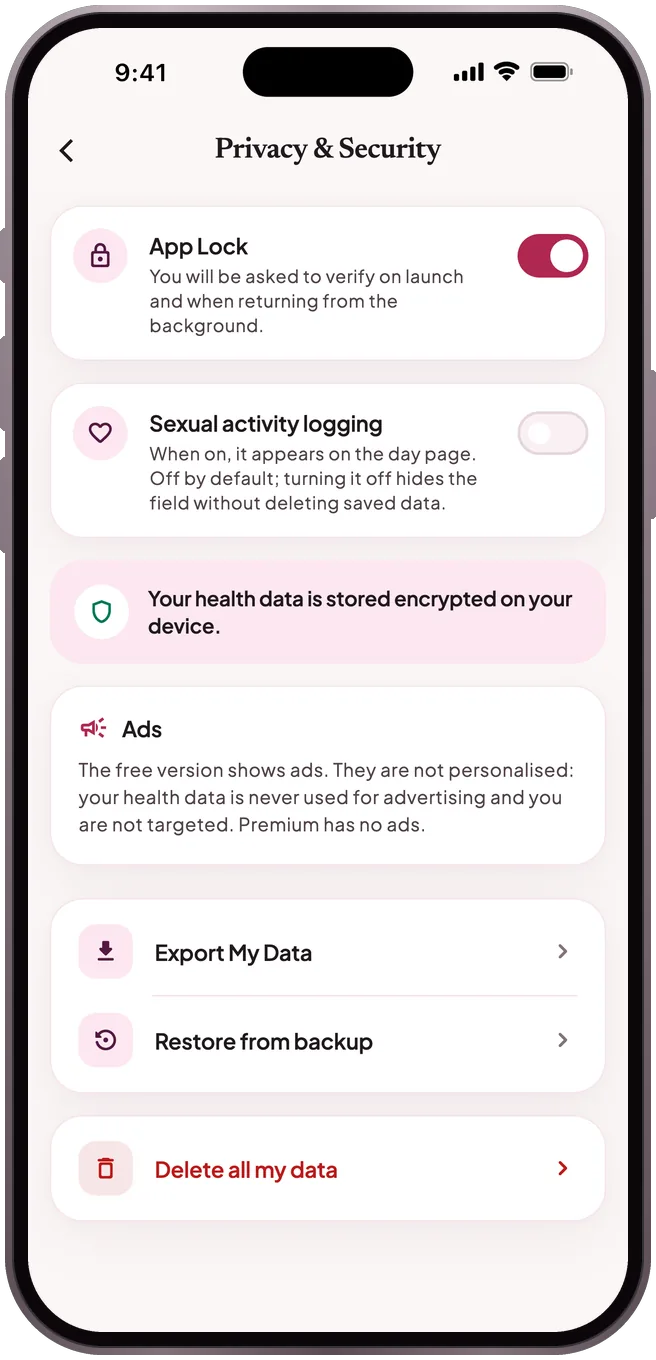
On your phone, encrypted. Unless you turn on cloud sync, none of your health entries leave your device; the partner feature only sends the closeness status you choose to share. Details are in the Privacy Policy.
On your old phone, create a backup with Profile → Privacy & Security → Export My Data. On the new phone, restore it from the same screen with Restore from backup. Or turn on cloud sync in Profile → Account & cloud backup, then on the new phone tap "Restore my records from the cloud" on the welcome screen and sign in with the same account.
The store manages subscriptions. On iPhone: Settings → your name → Subscriptions → Nilu. On Android: Google Play → Profile → Payments & subscriptions → Subscriptions → Nilu. A cancellation stays active until the end of the period.

Start without an account; sign in with Apple, Google or email if you want a backup. Unless you turn on sync, your entries never leave your phone.
Nilu does not diagnose, does not prescribe treatment and is not a contraceptive method. Predictions are calculated from your past entries and are approximate.